


Turnly™ Reading Ring
Turnly™ Reading Ring
Slide the clip on your Kindle, slip the ring on your finger, and turn pages with a tiny thumb tap - without ever pulling your arms out of the blankets



Quiet, no-click page turns (perfect for partners & babies)
Loved by BookTok readers with cold hands & sore wrists
Works with all Kindle models + most cases
30+ day battery life (charge once, forget about it)

Single Ring
Just the ring

Starter Pack
SAVE $50Perfect for cozy reading sessions

Complete Setup
SAVE $93Everything you need


Turnly™ Reading Ring
We designed Turnly™ Reading Ring for the way real readers actually read: curled up in bed, wrapped in blankets, with a drink in one hand and snacks nearby. Because why should you have to sit up straight and use both hands just to enjoy a good book?
Key Features:
• RF Technology: Works with ALL Kindles (even ones without Bluetooth) via the clip sensor – no complicated pairing needed
• Forward & Backward: Two buttons let you turn pages in both directions
• USB-C Charging: Both the ring case and clip charge via USB-C (cable included)
• Long Battery Life: Ring lasts ~10 hours active use
• Auto-Pairing: Just turn both on – they connect automatically in seconds
• Universal Compatibility: Works with Kindle Paperwhite, Oasis, Basic, Scribe, Kobo, and any touchscreen e-reader
• Whisper Quiet: Soft button click won't disturb your partner at night
• Lightweight: Ring weighs under 5g – you'll forget you're wearing it
Also works with phones and tablets for Kindle App, camera shutter and book apps.
🎀 The Starter Pack – $65
Everything you need for hands-free cozy reading at home.
• Turnly Ring & Clip – The page turner itself ($40 value)
• Cozy Reading Light – Clip-on warm light, USB-C rechargeable, perfect for nighttime reading ($25 value)
• 70cm Gooseneck Stand – Flexible arm clamps to your bed/desk, holds your Kindle hands-free ($25 value) – FREE
• Hardcase – Protective travel case for your ring and clip ($15 value) – FREE
• Cozy Wallpaper Kindle Pack – 10 aesthetic lock screen wallpapers, digital download ($15 value) – FREE
Total Value: $120 → Yours for $65 (Save $55)
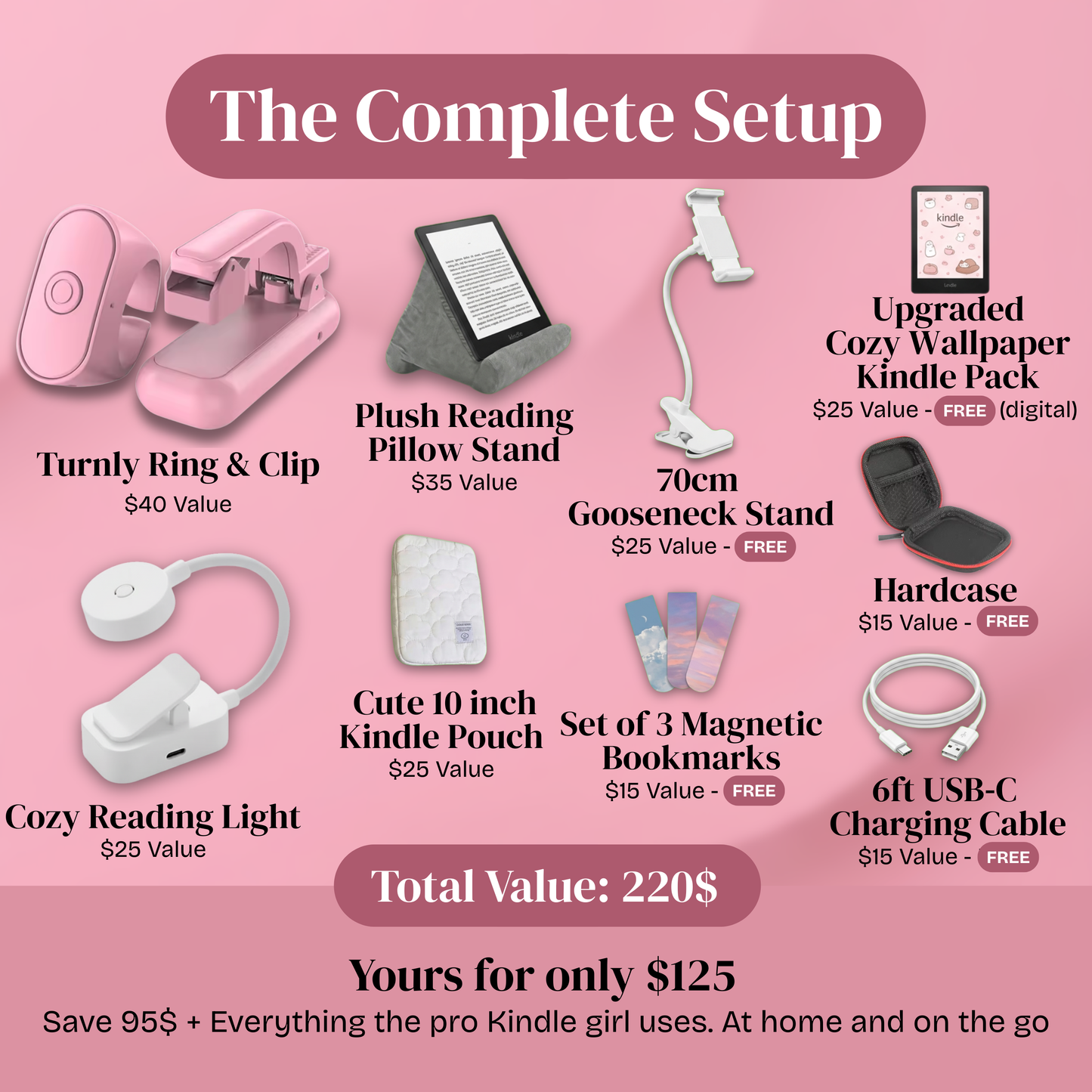
👑 The Complete Setup – $125
Everything the pro Kindle girl uses – at home AND on the go.
• Turnly Ring & Clip – The page turner with charging case ($40 value)
• Cozy Reading Light – Clip-on warm light for nighttime reading ($25 value)
• Plush Reading Pillow Stand – Soft tablet pillow for couch & bed reading ($35 value)
• Cute 10" Kindle Pouch – Quilted padded sleeve protects your Kindle on the go ($25 value)
• 70cm Gooseneck Stand – Hands-free Kindle holder ($25 value) – FREE
• Hardcase – Travel case for ring & clip ($15 value) – FREE
• Set of 3 Magnetic Bookmarks – Aesthetic designs for your physical books ($15 value) – FREE
• 6ft USB-C Charging Cable – Extra-long cable so you can read while charging ($15 value) – FREE
• Upgraded Cozy Wallpaper Kindle Pack – 10 wallpapers + reading tracker + book journal pages + curated TBR list ($25 value) – FREE
Total Value: $220 → Yours for $125 (Save $95)
🚚 Shipping
• Delivery Time: 8-12 Business Days
• Processing: Orders ship within 24-48 hours
• Tracking: Full tracking provided via email
⭐️ 30-Day Guarantee
We stand behind the quality of Turnly™. If your Ring or Clip doesn't work as expected within 30 days, we'll make it right.
Just reach out, show us what's going on, and we'll send a replacement or issue a refund – whatever works best for you.
Our Promise:
• Quick response within 2-3 business days
• No restocking fees
• Friendly, real-human support
• Hassle-free process
We want you to read risk-free and fall back in love with reading 💞
Note: Guarantee covers the Turnly Ring & Clip. Bundled accessories and digital items are final sale.


Finally, a Page Turner
That Understands How You Actually Read
Aesthetic Design
Designed to match your Kindle girl era - soft pink, rounded edges, and accessories that look cute on your nightstand.
Works With Everything
Kindle Paperwhite, iPad, phone apps (Kindle, Libby, Apple Books), tablets. If you read on it, this works with it
Whisper-Quiet
No loud clicks or beeps - just smooth, silent page turns, even at 2 a.m.
Insane Battery Life
Up to 30+ days of reading on a single charge, even for heavy readers.
Perfect For
Who Loves Turnly?

How to Use
Getting started is ridiculously easy

Step 1 - Clip & Power On
Slide the Turnly clip onto the edge of your Kindle screen where you normally tap. Press the side button until the light turns on

Step 2 - Pair the Ring
Put the Turnly ring on your index finger and hold the button for a few seconds. The clip light will flash to confirm they’re paired.

Step 3 - Start Hands‑Free Reading
Get cozy in bed or on the couch, rest your Kindle on the stand or pillow, and tap the ring button to flip pages without touching the screen.
Tip: Charge it once a month and you’ll never think about battery life again.
As seen on Instagram/Tiktok
Frequently Asked Questions
Turnly works with all modern Kindles including Paperwhite (all generations), Oasis, Basic Kindle, and Scribe. It also works with Kobo e-readers. Since it uses RF technology with a clip sensor (not Bluetooth), it's compatible with devices that don't support Bluetooth page turning.
The clip attaches to your Kindle screen and contains a small sensor that simulates a finger tap. When you press the button on the ring, it sends an RF signal to the clip, which triggers a tap on the screen – just like your finger would. No complicated Bluetooth pairing with your Kindle needed.
Not at all – it takes about 10 seconds. Just turn on the ring and the clip, and they connect automatically via RF (no Bluetooth pairing required). Attach the clip to your Kindle screen where you normally tap to turn pages, and you're ready to read.
Yes! The clip attaches directly to the edge of your Kindle screen, not the case. As long as your case doesn't cover the screen area where you'd normally tap to turn pages, it works perfectly.
The clip is small and sits at the very edge, but it may slightly overlap with text. You can easily fix this by adjusting your Kindle's margin settings (Settings → Reading Options → Margins) to add a bit more space on that side.
The ring button has a soft, quiet click – much quieter than physically tapping a screen. Most users say their partner doesn't notice at all, even during late-night reading marathons.
You get up to 60+ hours of total page-turning time, which means weeks of reading before you need to plug anything in. Most users charge it once a month or less.
The ring's RF clip system also works in phones and tablets. As it simulates a finger tap, it can be used for anything that uses that type of gesture. For example, reading apps in your phone and even pressing the button to take a selfie or start recording with the camera app.
The ring is lightweight (under 5g) and designed to fit comfortably on most finger sizes. You can wear it on your index finger, middle finger, or even your thumb – whatever feels most natural for you.
We've got you covered with our 30-day guarantee. If you have any compatibility issues, reach out and we'll help troubleshoot or process a full refund – no hassle.